VHF COM Radio Panel
A hardware VHF COM radio panel for MSFS 2024, modelled on the Garmin GTR-225. Real knobs, real buttons, and a real OLED display — kept in sync with the simulator over a CAN bus by the SimLinkHub companion app.
| Specification | Value |
|---|---|
| Display | 256×64 SSD1322 OLED, 4-bit greyscale |
| Microcontroller | STM32F072C8T6, 48 MHz Cortex-M0 |
| Communication | CAN bus, 500 kbps |
| PC connection | USB, via a CAN bridge (or directly, in hybrid bridge mode) |
| Encoders | Dual-concentric tuning knob (EC11 quadrature) |
| Volume floor | 1% (prevents accidental radio shutoff) |
| Simulator | Microsoft Flight Simulator 2024 |
| Host OS | Windows 10 / 11 (64-bit) |
| Companion software | SimLinkHub (free) |
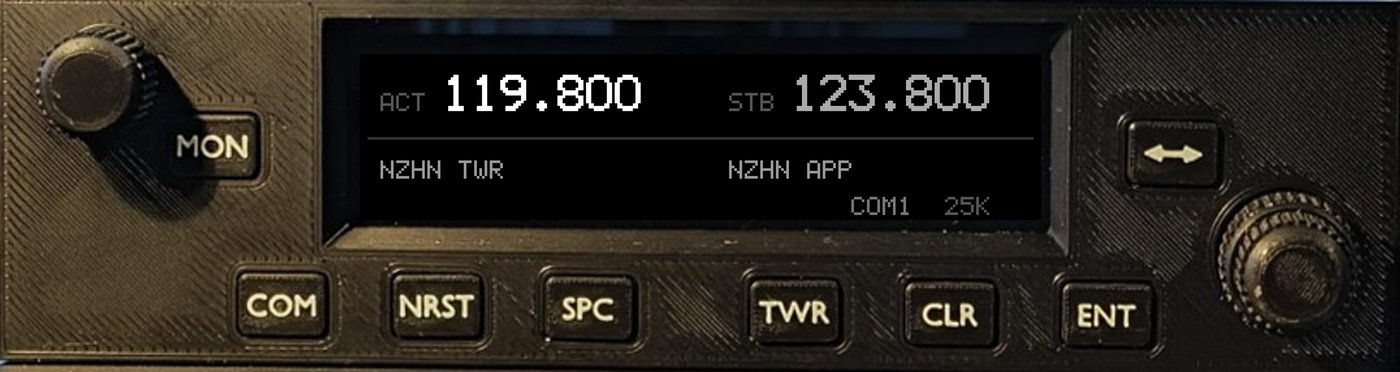
Bring your cockpit to life
The PRD-225 replaces on-screen clicking with real knobs, real buttons, and a real OLED display. It talks to the simulator in real time over a CAN bus, driven by the companion SimLinkHub software — active and standby frequencies stay perfectly synchronised, automatically.
High-contrast OLED display
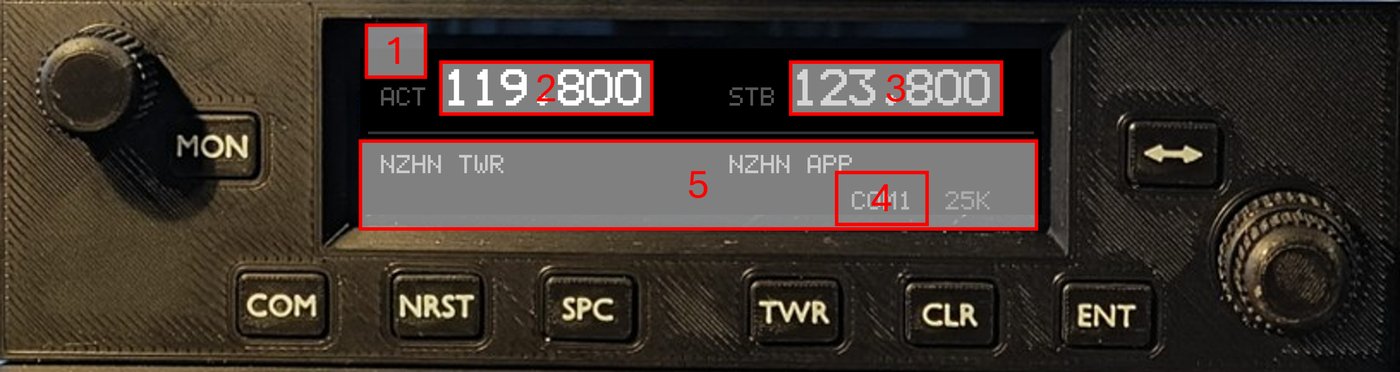
The 256×64 4-bit greyscale OLED delivers a crisp, aviation-style readout:
- Active COM frequency — always in sync with the simulator
- Standby COM frequency — updated in real time as you tune
- TX/SQ annunciator — lights when transmitting or when squelch override is on
- Channel spacing indicator — 25 kHz or 8.33 kHz at a glance
- Nearest airport identifiers — live, matched to your tuned frequencies
Dual-concentric frequency tuning
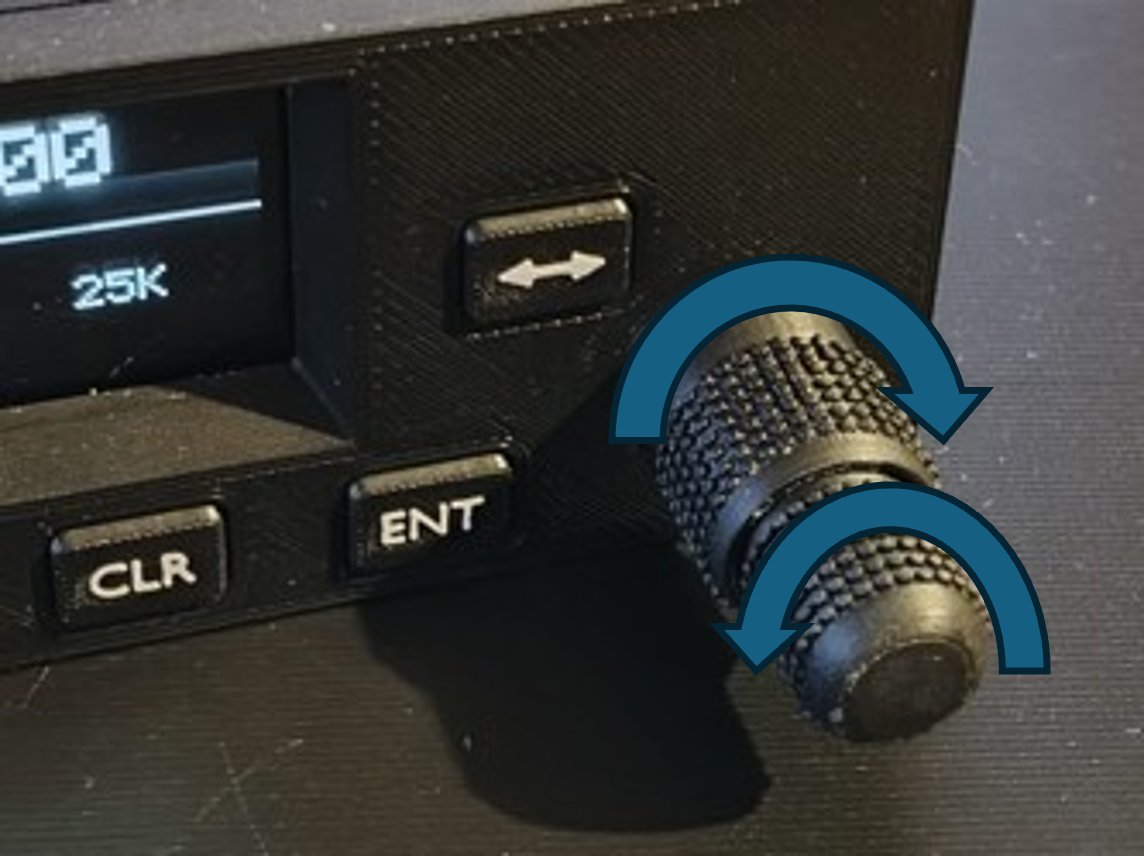
- Outer ring — steps the whole-MHz digit (±1 MHz per detent)
- Inner ring — steps the channel (±25 kHz or ±8.33 kHz, selectable)
Every turn reaches the simulator instantly. Need a specific frequency without spinning through the whole band? Dial it in digit by digit with direct frequency entry:

Nearest airports, right on the panel

Working with Little Navmap (free), SimLinkHub continuously tracks your position and finds the nearest airports with COM frequencies. Browse them on the device itself and load one straight into standby:

Every control, labelled
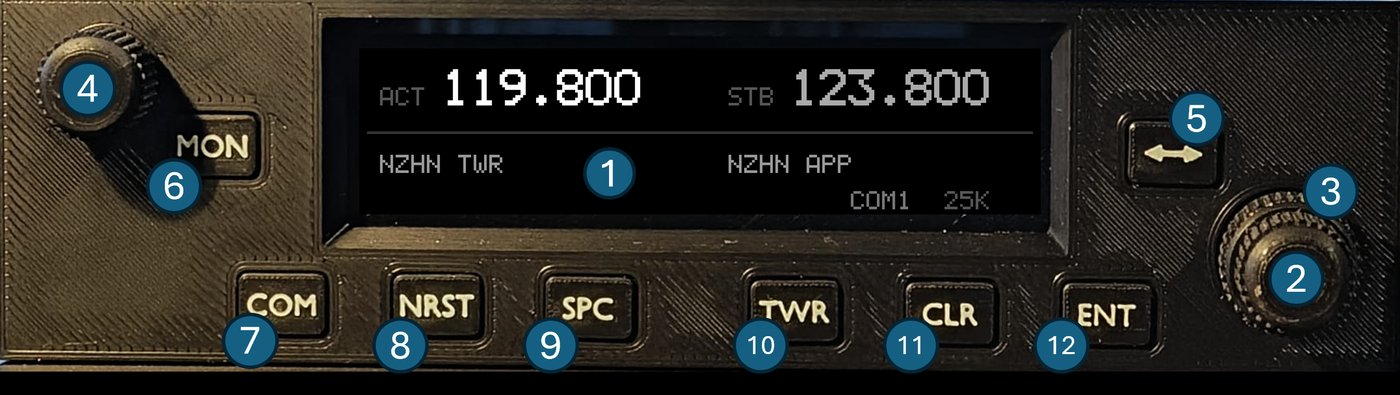
Full operating instructions for every button and mode are in the Pilot's Guide.
Firmware
The PRD-225's firmware is open source — see the STM-FlightSim-PRD-225-V1 repository.